Top pages report
The Top Pages report shows you which pages on your website receive the most traffic. Use it to understand what content resonates with your audience and identify opportunities for optimization.
Viewing the report
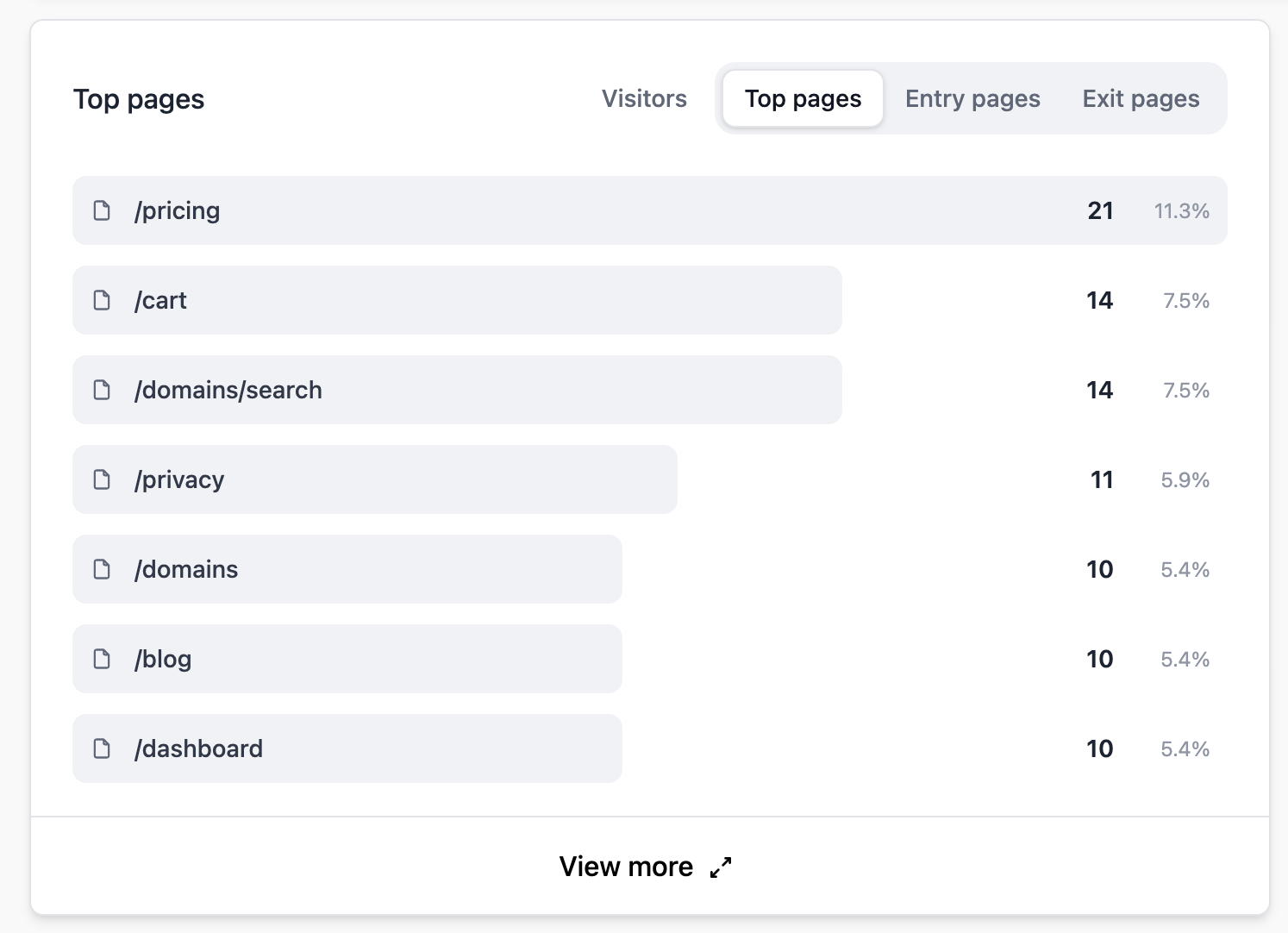
The Top Pages section appears on your main dashboard. Click on it to expand the full report with additional details and metrics.
Metrics
For each page, you'll see:
- Visitors — The number of unique visitors who viewed the page.
- Pageviews — The total number of times the page was viewed.
- Bounce rate — The percentage of visitors who entered your site on this page and didn't meaningfully engage (no engagement events or less than 10 seconds of active time).
Entry and exit pages
Top Pages also gives you insight into:
- Entry pages — The first page visitors see when they arrive on your site. High-traffic entry pages are your landing pages.
- Exit pages — The last page visitors see before leaving. High exit rates on key pages may indicate issues to investigate.
Filtering by page
Click on any page in the list to filter your entire dashboard by that page. This lets you see the traffic sources, countries, and devices for visitors who viewed a specific page.
Tips
- Pages with high traffic but high bounce rates may need better calls-to-action or internal linking.
- Compare your top pages over different time periods to spot trending content.
- Use the page filter with goal conversions to see which pages drive the most conversions.