Funnel analysis
Funnels let you visualize and measure multi-step conversion paths on your website. By defining a sequence of steps, you can see where visitors drop off and optimize your conversion flow.
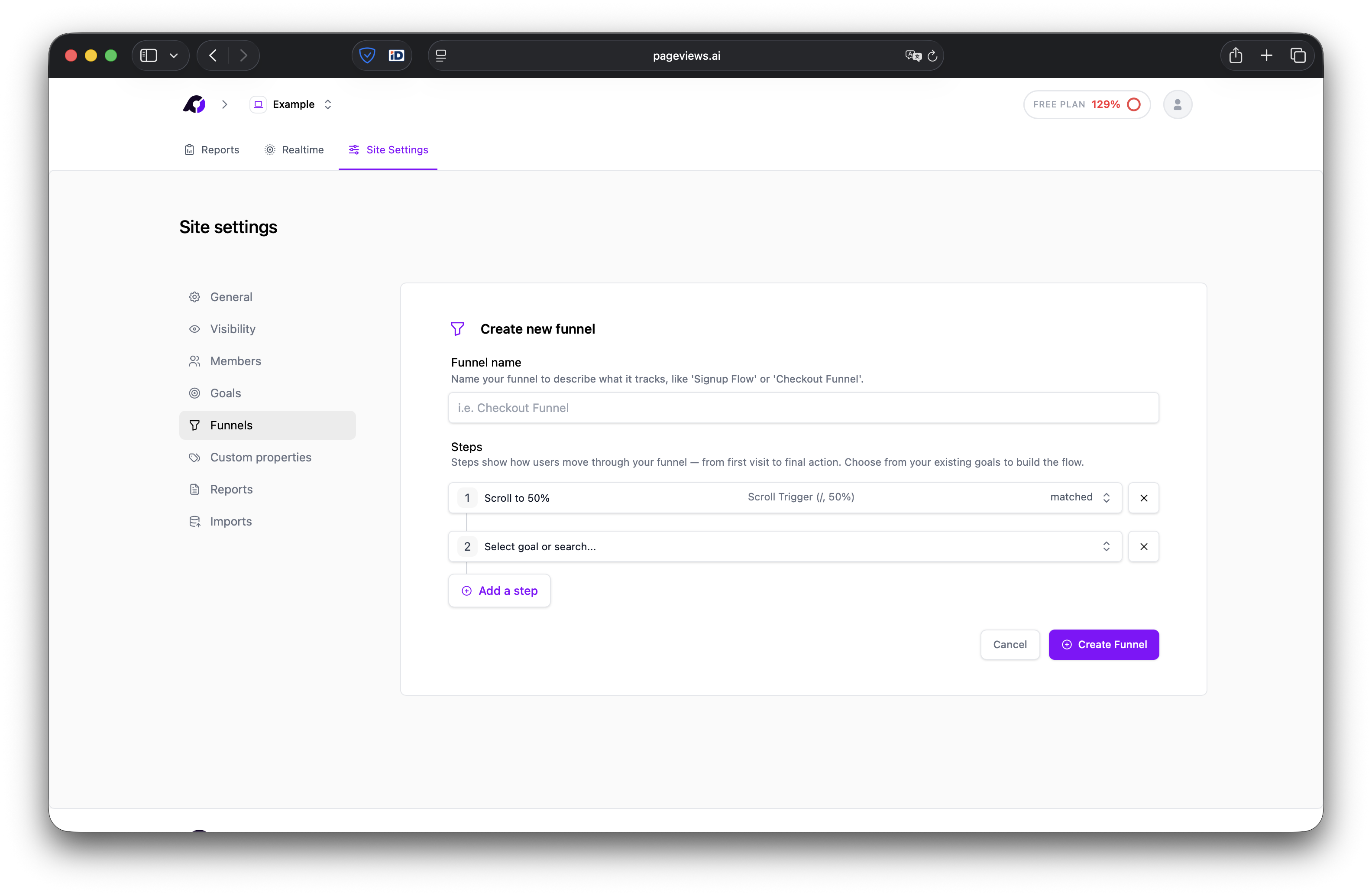
Create a funnel
- Go to your Site Settings → Funnels page.
- Click Create Funnel.
- Give your funnel a descriptive name (e.g., "Checkout Flow").
- Add steps to your funnel. Each step is an existing goal you've already created (pageview goal, custom event goal, or scroll depth goal).
- Arrange the steps in the order you expect visitors to follow. You'll need to create the goals first if you haven't already.
- Click Save.
How funnels work
Pageviews tracks visitors as they move through the steps you've defined. For each step, you'll see:
- Visitors — How many unique visitors reached this step.
- Drop-off — How many visitors left the funnel at this step.
- Conversion rate — The percentage of visitors who continued to the next step.
Funnel report
The funnel report provides a visual breakdown of each step in the funnel, showing the number of visitors and the drop-off at each stage. This makes it easy to identify bottlenecks in your conversion flow.
Example funnels
E-commerce checkout
/products— Browse products/cart— View cart/checkout— Start checkout/order-confirmation— Complete purchase
SaaS sign-up
/— Visit homepage/pricing— View pricing/register— Start registration/dashboard— Complete onboarding
Tips
- Funnels are available on the Pro plan and above.
- Keep funnels focused — 3 to 6 steps is usually ideal.
- Steps don't have to be consecutive pageviews. A visitor can visit other pages in between and still progress through the funnel.