Scroll depth goals
Scroll depth goals let you track how far visitors scroll down a page. This is especially useful for long-form content like blog posts, landing pages, or documentation — you can see whether visitors are actually reading your content or dropping off early.
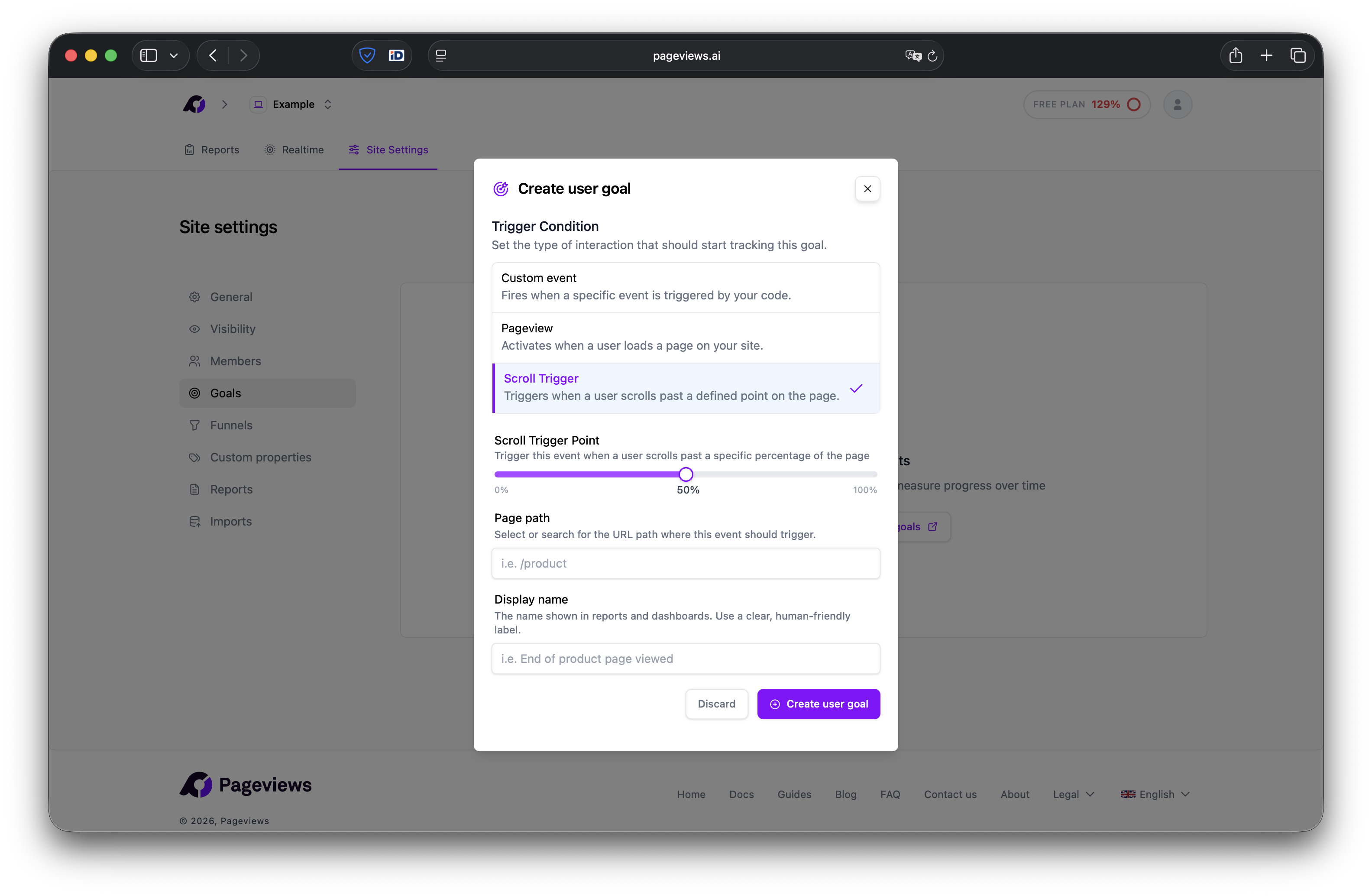
Create a scroll depth goal
- Go to your Site Settings → Goals page.
- Click Add Goal.
- Select Scroll as the goal type.
- Enter the page path you want to track scroll depth on (e.g.,
/blog/my-article). - Set the scroll threshold — the percentage of the page that must be scrolled for the goal to trigger (e.g., 75%).
- Give your goal a descriptive name (e.g., "Read Blog Article — 75%").
- Click Save.
How it works
The Pageviews tracking script automatically monitors scroll position on pages that have a scroll goal configured. When a visitor scrolls past the threshold you defined, a goal conversion is recorded.
Each visitor is counted once per page load — if they scroll up and down past the threshold multiple times, it still counts as a single conversion.
Choosing a threshold
- 25% — Visitor started engaging with the content.
- 50% — Visitor read through roughly half the page.
- 75% — Visitor read most of the content. This is a good default for most use cases.
- 90-100% — Visitor reached the bottom of the page.
Use cases
- Blog engagement — Measure what percentage of visitors actually read your articles.
- Landing page effectiveness — See if visitors scroll far enough to reach your call-to-action.
- Documentation readability — Understand if your docs are too long or if users engage with the full content.