Countries and devices
Pageviews breaks down your traffic by geographic location and device characteristics, helping you understand who your visitors are and how they access your site.
Countries report
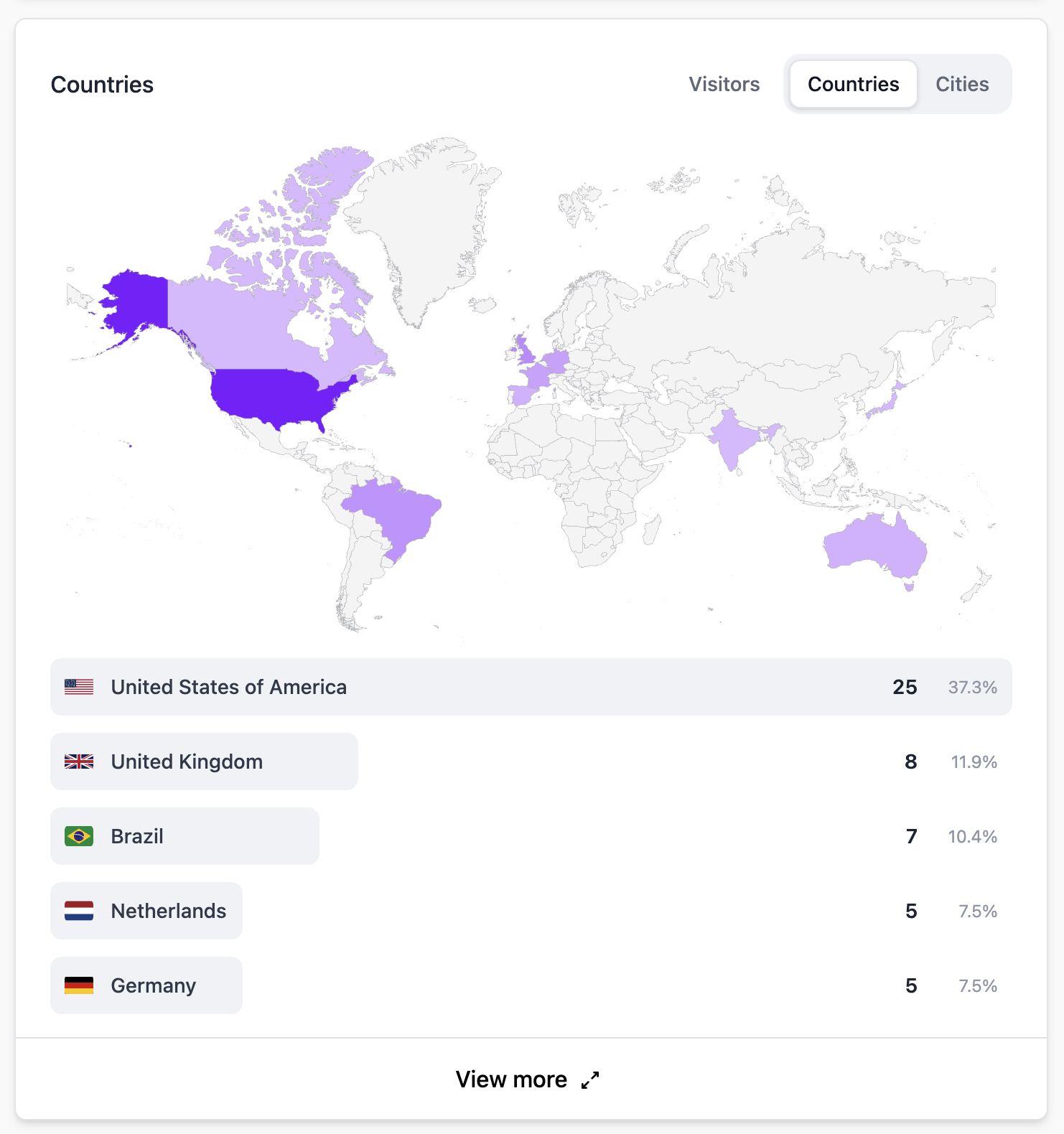
The Countries report shows the geographic distribution of your visitors. Each country is listed with its visitor count and percentage of total traffic.
Pageviews determines visitor location from their IP address at the time of the request. IP addresses are never stored — only the derived country is recorded.
Map view
The interactive world map provides a visual overview of where your visitors are located. Darker colors indicate higher traffic. Hover over any country to see the exact numbers.
Devices report
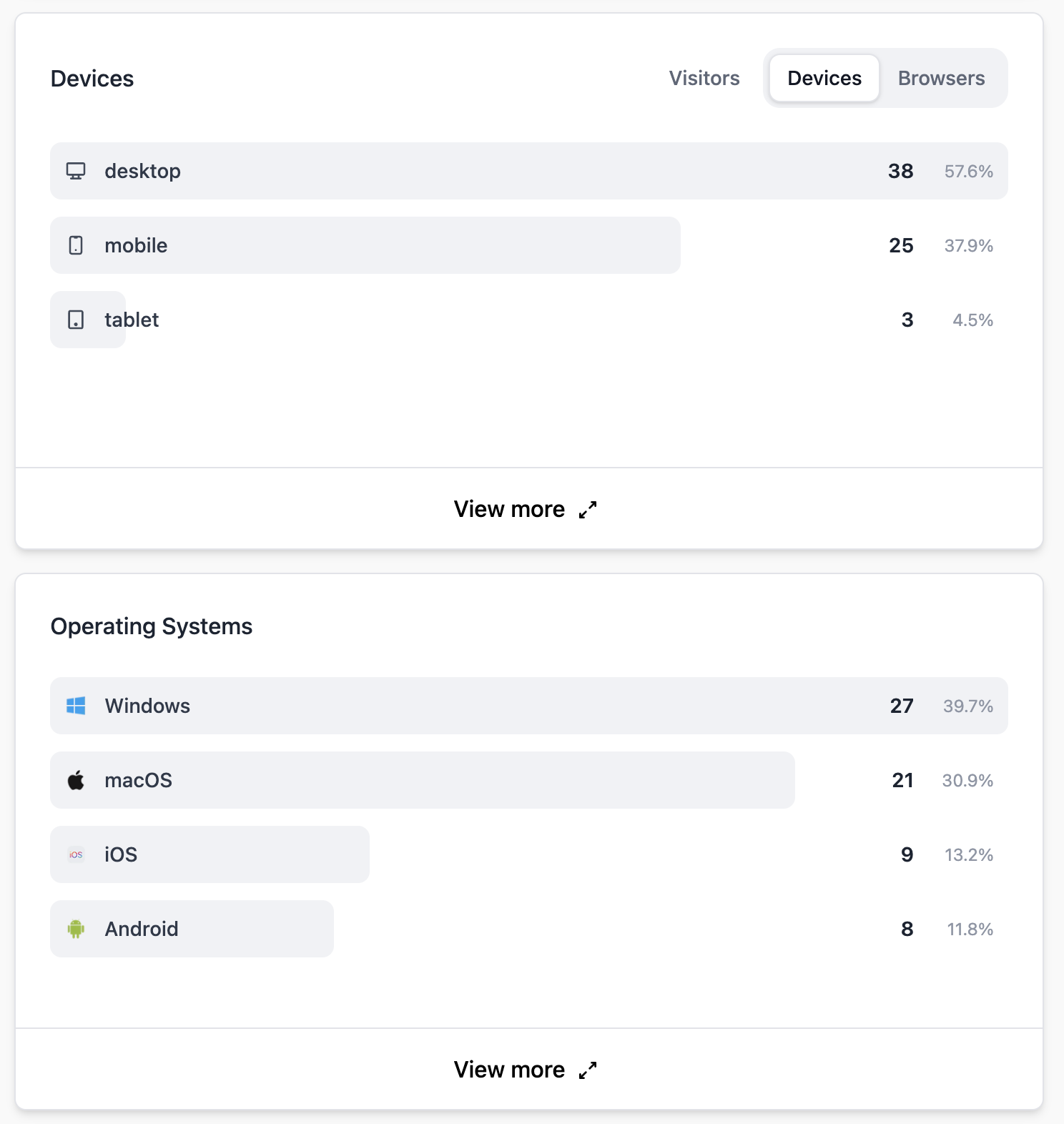
The Devices report breaks down your traffic by:
- Device type — Desktop, mobile, or tablet.
- Browser — Chrome, Firefox, Safari, Edge, and others.
- Operating system — Windows, macOS, Linux, iOS, Android, ChromeOS, and others.
Why this matters
- Responsive design — If a large portion of your traffic is mobile, make sure your site works well on small screens.
- Browser compatibility — Focus testing on the browsers your visitors actually use.
- Localization — If you see significant traffic from non-English-speaking countries, consider translating your content.
- Content strategy — Geographic data can inform content topics and posting schedules.
Filtering
Click on any country, device type, browser, or OS to filter your entire dashboard by that value. Combine filters to answer questions like "What pages do mobile visitors from Germany view the most?"